

Buildings that accept digital rent payments near transit in Manhattan
Search Manhattan buildings that accept digital rent payments and are near transit. This page covers 1,158+ eligible buildings right now, so you can narrow fast based on how you want to pay and how close you want to live to your commute. Openigloo helps you compare buildings with tenant-first details: building pages include signals like neighborhood fit and metadata, plus ratings and Q&A you can use to ask the right questions. Use the filter match as a starting point, then verify payment methods, enrollment steps, and any extra charges directly with the building or management.
Buildings that accept digital rent payments near transit in Manhattan
Showing 37–54 of 1,158 buildings that accept digital rent payments near transit in Manhattan.

71 Broadway
Financial District

15 Park Row
Fulton/Seaport

300 East 34 Street
Kips Bay

375 S End Ave
Battery Park City

155 East 29 Street
Kips Bay

116 John Street
Financial District

301 East 47 Street
Turtle Bay

401 2 Avenue
Kips Bay

650 West 42 Street
Hell's Kitchen

777 Avenue Of The Americas
Chelsea

37 Wall Street
Financial District

410 West 53 Street
Hell's Kitchen

67 Wall Street
Financial District

330 West 56 Street
Hell's Kitchen

1735 York Avenue
Yorkville

235 West 48 Street
Midtown

561 10 Avenue
Hell's Kitchen
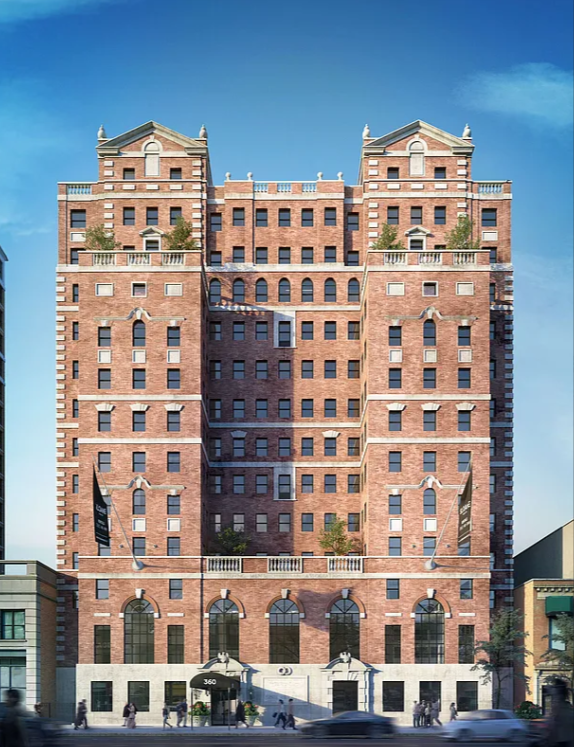
360 West 34 Street
Hudson Yards
What to check before choosing a building that accept digital rent payments near transit in Manhattan
- Check what “digital payments” means for your move-in: ask whether they accept ACH, credit/debit, or online portals, and if there are setup requirements.
- Confirm how “near transit” is defined on the listing and whether the walk time works for your typical route (weekday vs. weekend timing).
- Look for payment fees and processing delays in the Q&A and ask management to confirm the exact cost (if any) and posting timeline each month.
- Before signing, confirm the full rent-payment workflow: rent due date, grace period, late-fee terms, and what counts as “paid” for on-time status.
- If the building uses a specific vendor (portal/bank transfer), ask whether you can schedule payments automatically and what happens if cards/banks change.